

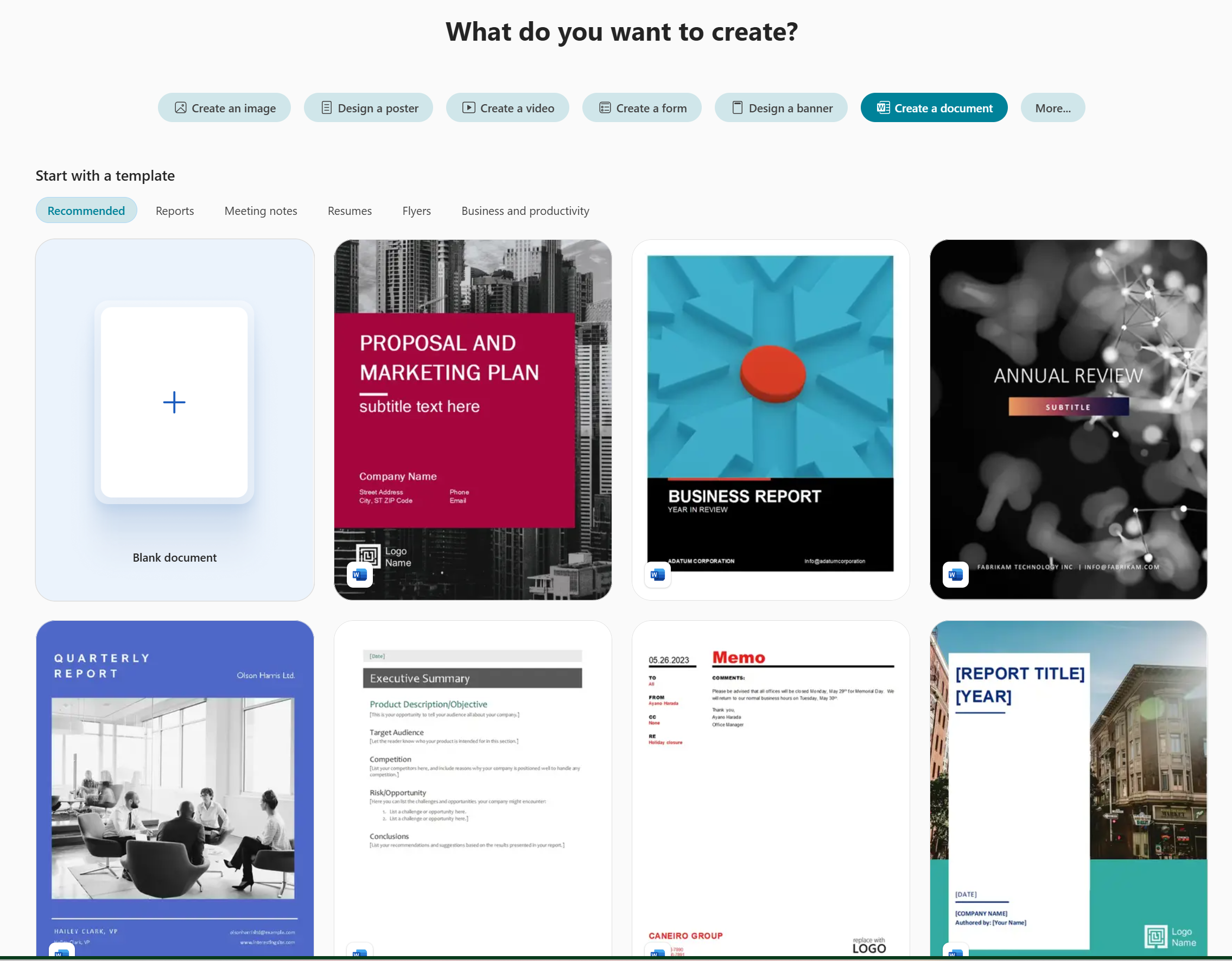
Create a file from a template in the Microsoft Copilot app to get a head start on great-looking content. Start from one of the premade templates, or use a brand template from your organization.
Note
To use this feature, you need an eligible Microsoft 365 subscription. If you're subscribed to Microsoft 365 Personal, Family, Premium, or Pro, some Copilot capabilities may have usage limits and are subject to change over time. Learn more about Copilot features and AI limits in Microsoft 365 Personal, Family, Premium, and Pro subscriptions.
Note
For users without a Microsoft Copilot license, quality and performance depend on service availability and can vary throughout the day. If the service isn't available, Copilot notifies you. It doesn't interrupt any task in progress. For more details, see How Copilot Chat works with and without a Microsoft Copilot license.
How to create a file from a template
Access the Create section of Copilot using one of the following methods:
- Go to What do you want to create? in a web browser.
- Go to Copilot in a web browser, select the Apps and more icon in the top left of the window, and then select the Create icon.
- Open the Copilot app, select the Apps and more icon in the top left of the window, and then select the Create icon.
If prompted, sign in with an account that has a valid Microsoft Copilot subscription to access the Create section.
In the What do you want to create? window, select Browse all templates. If you don't see this option, select More... and then select All templates located under Start from a template in the menu that appears.
For work and school accounts, Browse brand templates is also available. If you don't see this option, select More... and then select Brand templates located under Start from a template in the menu that appears. Brand kits are only available if your organization sets them up. For more information, see Create and manage official Brand kits in the Microsoft Copilot app.
Under Start with a template, select the template you'd like to start with.
The appropriate app opens in your browser with the selected template, ready for you to add your content.